EPANet Plus – improved map export to DXF

Baoyu Zhuang added a few functions to the EPANet GUI to allow more options while exporting a map to the DXF format. The USEPA version of EPANet allows the user to export a map to DXF using the File->Export->Map form:
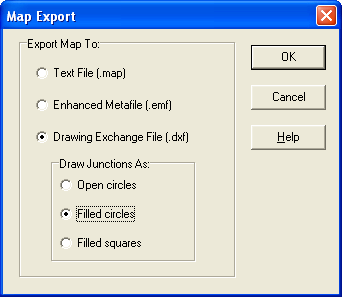
This export function will save a DXF file containing the nodes and links of the network and the labels. The elements color will be according to their selected viewed properties.
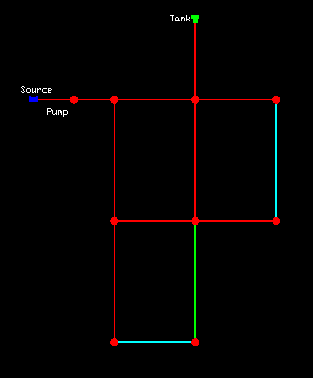
Elements id’s, properties and results values are missing and that is were EPANet Plus kicks in. While starting with a small error message the program runs as expected. The difference is in the map export form:
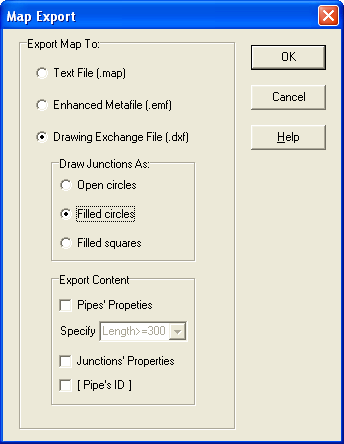
The upper part is the same as the original form but there is a new frame with the following functionality:
- If no option is selected then the exported file will be the same as the original program. However, if the display ID’s checkboxs are selected in the map options form then they will be shown in the DXF file:
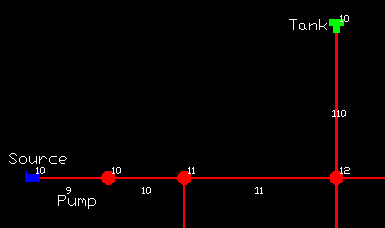
- If the “Pipes Properties” box is selected then for each link longer then the selected value a set of properties will be shown (length, diameter, velocity and headloss).
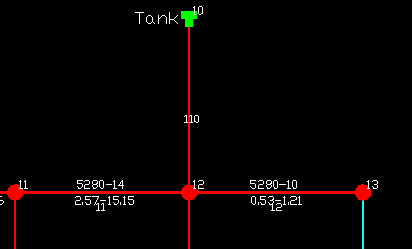
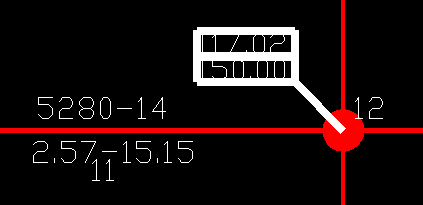
- When the “Junctions Properties” box is selected the pressure and demand values will be shown for each junction.
- The last option, “[Pipe’s ID], will just print the pipe’s ID in brackets.
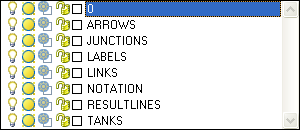
Each set of values will be placed in a specific layer in the DXF file:
When I wrote about the future of EPANet and about open sourcing the program, this is one of the things I imagined – users and developers would add new features to the program. Zhuang didn’t release the source code of his changes but hopefully he would.
Download and use EPANet Plus form (at your own risk) here.
Update: Baoyu sent a few more tips for using EPANet Plus:
- Never try to export pipe’s and/or junction’s property before running the simulation.
- The position of junction’s property box could be changed according to the junction’s Tag property. The position will be northeast, southwest and southeast to the junction while the Tag of that junction is set to 2, 3 and 4 respectively. If the Tag is set to other value or left blank, the position would be northwest of the junction.
- The font size is adjustable. It is controlled by both values of the font size and zoom level in Views – Options – Notation section
- Besides the enhancement of the export function, EPANET Plus fixes the arrow position issue. When a pipe has multiple sections, the position of link arrows could be placed at wrong position in the DXF exported by the original EPANET. The algorithm to calculate the position of link arrow was also updated for both export function and network map browser.
Hi, where can I download this program?
thanks
The download link is in the middle of the post.
Sir,
The software cannot send flow to autocad directly so this is problen or it has solution please add me to ur software to improve it better by calling me there there are other bugs too
For sure, Epanet as open source will develop in a great program from thousand users around the World
i can not open hammer software would you pls help me.
is it possible to get the pipe flow to be output into the .dxf, also get the pressures and demands at the nodes to be placed on there own layers (eg. Pressure & Demand)
Were you able to export the flow data for the link to a DXF file somehow?
Hi, I am unable to download the EPANET Plus described.
I would like if possible to send me or postasse to download the program again.
Thank you.
It seems that the web site if offline.
Try the local copy:
http://www.water-simulation.com/wsp/wp-content/uploads/2011/04/epanet_plus.zip
Thank you very much !!!!! It worked, will greatly facilitate to export data to cad.
Have anyone solved the issue of exporting the flow with other parameters of link to CAD? Great thing for users would be the possibility to export all parameters, divided in sections with checkboxes, so every user can create his own export model. Just a suggestion, if there is any possibility for the developer to make those changes.
PS Program is very helpfull…works fine.
I’m Emma from Tanzania ,I t helped me.please may you update for current version