DXF2EPA – AutoCad DXF File Conversion Utility for EPANET

Back in May 2001, Lewis Rossman, author of EPANET, released a small utility to convert dxf files to EPANET format. After a little time he announced that the EPA will not continue to distribute and support the utility.
A few days ago I found the file in my old computer and thought that people may find it useful. So here is a short description form the utility manual and a download link:
“DXF2EPA is a Windows utility program that converts a line drawing of a pipe network stored in Autodesk’s DXF file format into an input data file that can be read by the EPANET water distribution system analysis program. It converts all of the line and polyline elements in selected layers of the DXF drawing into a set of pipes and junctions for EPANET, with all coordinates and vertex points intact. Additional elements, such as reservoirs, tanks, pumps, and valves, have to be added to the EPANET model by hand. Although the conversion program can compute pipe lengths if so desired, other network data, such as junction elevations and demands, and pipe diameters and roughness values have to be edited within EPANET after the converted file is loaded.”
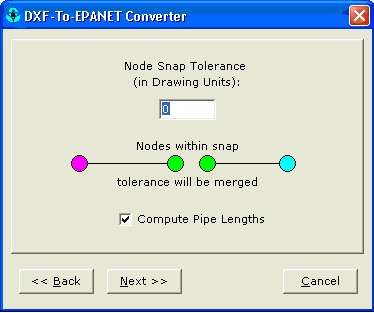
thanks a lot,it’s very useful for me.
your’s
thank.
but there is which I not yet know. I make a map of water pipe network of is including data of elevasi node. with process of gps continue to mapsource continue to autocad by using my DXF2EPA of convert to epanet for the simulation of network system
**** what become question of me why dimension size measure of layer epanet kordinat cannot synchronize autocad, we try dimension setting in epanet remain to cannot become for node in epanet each other crosslegged do not as good as which in autocad
help ……….. thank
Thanks alot…. Keep us updated with such tools
Hi, thanks a lot for you valuable help!, but after I tried the dxf2epa, I have problems with the dxf file, so the program show the follow message at the end of the process: “ERROR: Illegal numerical value in DXF file”. Iֲ´ve tried many ways and alway get the same error!, do you know what happens?.
Thanks,
If you get message “ERROR: Illegal numerical value in DXF file”,
open DXF file with Notepad and replace . with , and then save file as *.txt When open choose All files instead DXF files. This definitely works.
Robert:
I don’t have to much experience with this tool. You want to try and post your question on the forum here:
http://www.water-simulation.com/wsp/bb
Maybe someone will have the answer you seek.
Elad
Hi, thinks a lot.
If u want, i can send my programs that i develop for converting dxf to epanet (it can calculate lenght for each polyline..)
have a nice day
Assalam-O-Alaikum!
Nabil bhai i would be really much thankful to you if you share DXF2EPA.NET convertor.
JazzakALLAHuKhair
Nabil
I will be very grateful if you could send me the programs to convert DXF into Epanet. I will then send you my feedback.
best regards
Boualem
Hi folks, I have been able to transfer data from waterCad to Epanet. It only transferred the network diagram in a messed up form. The problem is the hydraulic data like demands and elevations, is there any way to transfer that. Because the date which was transferred does not have any data. Plz help coz i have to submit my design very soon.
Thanks for this usefull utility
I have converted dxf file to epanet *.inp but I cant see it on the monitor. probably the coordinates does not corespondent. Could enyone tell me how to fix that problem
Hi, After I tried the dxf2epa, I have problems with the dxf file, so the program show the follow message at the end of the process: ג€ERROR: Illegal numerical value in DXF fileג€. Iֲ´ve tried many ways and alway get the same error!, do you know what happens?.
JOֳƒO,
Did you try different versions of the DXF?
I have converted dxf file to epanet *.inp but I cant see it on the monitor. Could enyone tell me how to fix that problem
The problem is that the INP file is empty. I have this problem with all my dxf files, including that exported by EPANET.
Klebber:
If you send me your dxf I can try and help you.
send it to: selad (at) optiwater.com
Thanks a lot for posting/hosting this file. I tried unsuccessfully to hunt this down over 2 years ago, even going as far as contacting Lewis Rossman himself if I remember correctly. Thanks to google, and a “what the heck, lets check again” mentality I have found it. I have not tried it yet, but I am sure I will find it most useful. Thanks again.
dear Joao Reis
How did You manage to convert dxf file into epanet. I am receiving the same message: illegal numerical value in dxf file. If U tried different version of dxf please describe
I have succefully converted a dxf networt into an epanet .inp file but the result is just a long line with many nodes. Can someone help me.
thanks
hi i want a serial of mike net! you can help me?
I thanks !!!!
Thanks saved me a lot of work !
I have succefully converted a dxf networt into an epanet .inp file but the result is just a long line with many nodes. Can someone help me.
thanks .
i want the gisred script freely
I am trying to import information from MapInfo into EPANet after exporting it to dxf. I wish to increase the decimal place accuracy as it currently comes across to the nearest 10 metres. I would like this to the milimetre (or centimetre at the least). Any chance that anyone has a solution to this problem or the source code so i can modify it myself. Other than that, a fantastic util.
Its really very helping tool and reduced a tedious worrk to draw a network on backdrop map for an engineer. However, the prorame must be updated to also pick the arcs from Autocad map in addition to Lines and poly lines.
Tanks,
you guys are so great! this is very helpful
DEAR FRIENDS,
DONT WORRY. THIS IS FOR THOSE WHO ARE GETTING A BLANK .INP FILE AS OUTPUT. I TOO HAD THE SAME PROB. BUT AFTER MY PERFECT EXPERIMENT I FOUND THE RESULT. JUST WHILE SAVING THE DXF FILE SAVE IT TO THE R12/R14/ VERSION DXF FILE. THIS WILL MAKE THE THINGS EXACLTY AND PERFECTLY INTO WORK.
MERA BHARAT MAHAN… JAI HIND.
Hi, Very useful tool, has so far saved an awful lot of work. Is there any utility or a modified script for this package that can convert the “z” coordinate in the original DXF drawing into the elevation field for EpaNet? Been looking at translating the DXF text file into the INP databse file and wondered if I could save an awful lot of time and effort if it already existed. Thanks
i am looking for some help!!
i am making an application to simulate and organizate the information about pressure and velocity for 50 network models. i am using C++ and i have several problems with epanet toolkit.
i would like to know how can i extract the velocity and pressure using tha toolkit.
i would like to know tha best way to organize that information.
Hi,
Iֲ´m trying to export a file from Piccolo to Epanet.I export my Piccolo file in .DXF format and then using DXf2epa convert it to Epanet. The problem is that when I open the file in Epanet I have an empty file.
Can someone help me? thanks
Hi,
Ive tried several ways to use dxf2epa but it’s a weird it doesn’t work.
Ive only pipes in dxf. If i try with polylines, the inp file is empty and if i try with lines, the message ERROR: Illegal numerical value in DXF file come.
Autocad version 2005 (tried to save as dxf2004, dxf2000 or dxf R12) under winxp.
Can anyone help ?
Hai this is raju i am regular user of EPANET software for water supply designing but unfortunately i forget the dxf file converter to epanet i searched a lot for it now i got from this site i feel very happy and thanks to EPANET team.
Dear friends,
I sugest all of you who receive ERROR: Illegal numerical value in DXF use another template.
Make copy paste of your dxf into a new file CREATED WITH acadiso template.
Good luck,
T
halp my please
where is difirence for Epanet and Hydraulicad
but what is processuce for run Epanet whith AUTOCAD ??
thank You.
HI!
I’ve a problem with convert the dx file to .inp When I run converting process in dxf2epa it give me the message ERROR: Illegal numerical value in DXF file come. What that mean?
I try save ma dxf file in different version: 2007,2004, 2000, R12, LT2 :/
Could someone help to me and to write step by step, how I must correctly save and convert the file from dxf to .inp?
For information I have AutoCAD2009.
I have the same problems…..Iֲ´ve tried to saved it in Autocad version 2004,2000 etc etc but it comes up the message”ERROR: Illegal numerical value in DXF”….so I donֲ´t know what I should do right now to convert a .INp my file
Ya he descubierto la soluciֳ³n al mensaje: “ERROR: Illegal numerical value in DXF file.”.
El autocad genera el dxf con puntos decimales “.” y la configuracion regional de windows debe ser tambien asֳ, para que el EPANET entienda los decimales.
Yes, it works now! I have Autocad Lt 2008 and it works great changing the “,” with the “.” in the international settings of Xp!
Thank you Pablo!!
Giuseppe
Dear Sir/Madam,
I am a student of Civil Engineering in Msc. in ג€Water Engineeringג€, university of Tehran, Iran.
The subject of my Msc. thesis is ג€Optimization of Water Distribution Networks (WDN) by Minimizing Pumping Energy Costג€
Will you please tell me how to change the speed of a pump for defferent time steps in the software EPANET?
thanks for your attention
Thanks Pablo it works now!
thank you very much!!
i completed the Newsletter Subscriptionן¼please give me a message if update
thanks
I have been successful importing the dwf file into EPANET, but am curious if there is an easy way to combine .inp files. In EPANET, after one is imported, if I import another it deletes the original information. I have a large network with many pipe diameters and would like to create separate .inp files for each pipe diameter, but import them into one model. Then I can group edit each import to update the pipe diameter. Any suggestions?
For those who have the problem “ERROR: Illegal numerical value in DXF file”, try to change the Regional Preferences in Control Panel. Change the decimal separator to . instead of , and the number separation for a space instead of . or ,
I made this change and it worked.
Other thing is to use the Epanet in English instead of other languages (I was using Portuguese version and now I am using the English version).
If someone knows how to create the inp file with the elevations of the junctions please let me know. This program doesn’t permit this option, according to the specifications (I tried to find other aplication but I was unsuccessful)
in Dxf2Epa I am not getting the inp file with common junction point. Say in case of loop network, I want common junction for 4 pipes. Pls help…
After importing the ‘inp’ file, only 2 junctions show up with one pipe connecting them. At the same time it appears that every junction and pipe are there when looking at the browser window. If I try to zoom out or do anything on screen it gives a warning that says “Floating point overflow”. Can anyone help?
did not open correctly in EPANET, the only thing that appears are two pipes, why this is happening, help me please
Thanks a lot
hi,thx for ur software. while i met a little problem that the created inp files are always empty. i hope someone will help me…
Brothers from another mothers, fellow civil engineers try CADTOOLS (avaialble at http://www.glamsen.se/CadTools.htm), its much more handy and stable solution for the same.
Bonsoir!
comment faire pour importer un fichier dwg (autoCAD) en epanet??